

Welcome to the DIY Watch Assembly Instruction
In the next two hours, you will dive into the world of watchmaking.
Please relax, take your time, and enjoy the fun of the craft of watchmaking!
Diver 42mm Assembly Instructions
Before starting, you can familiarize yourself with the tools and parts needed:
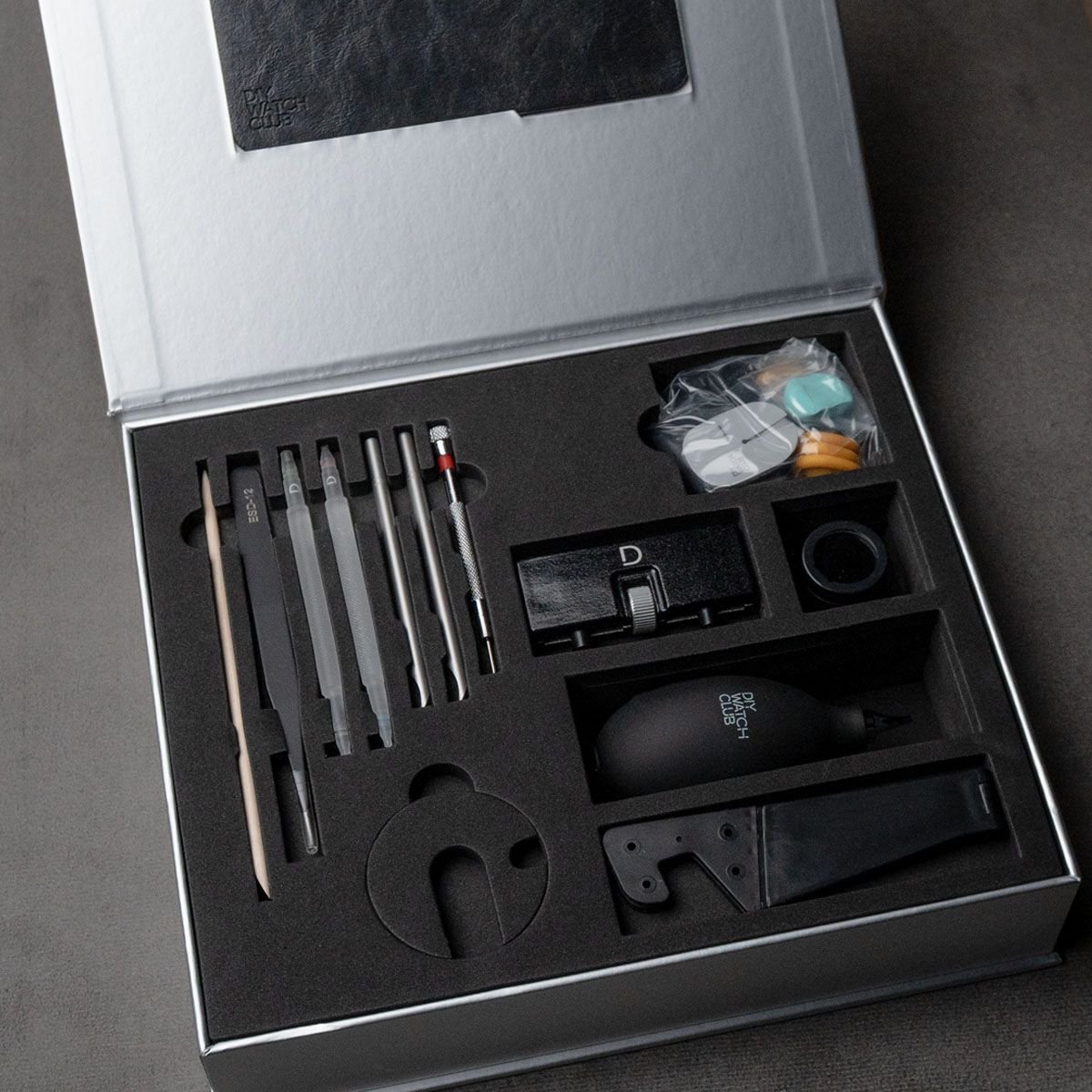
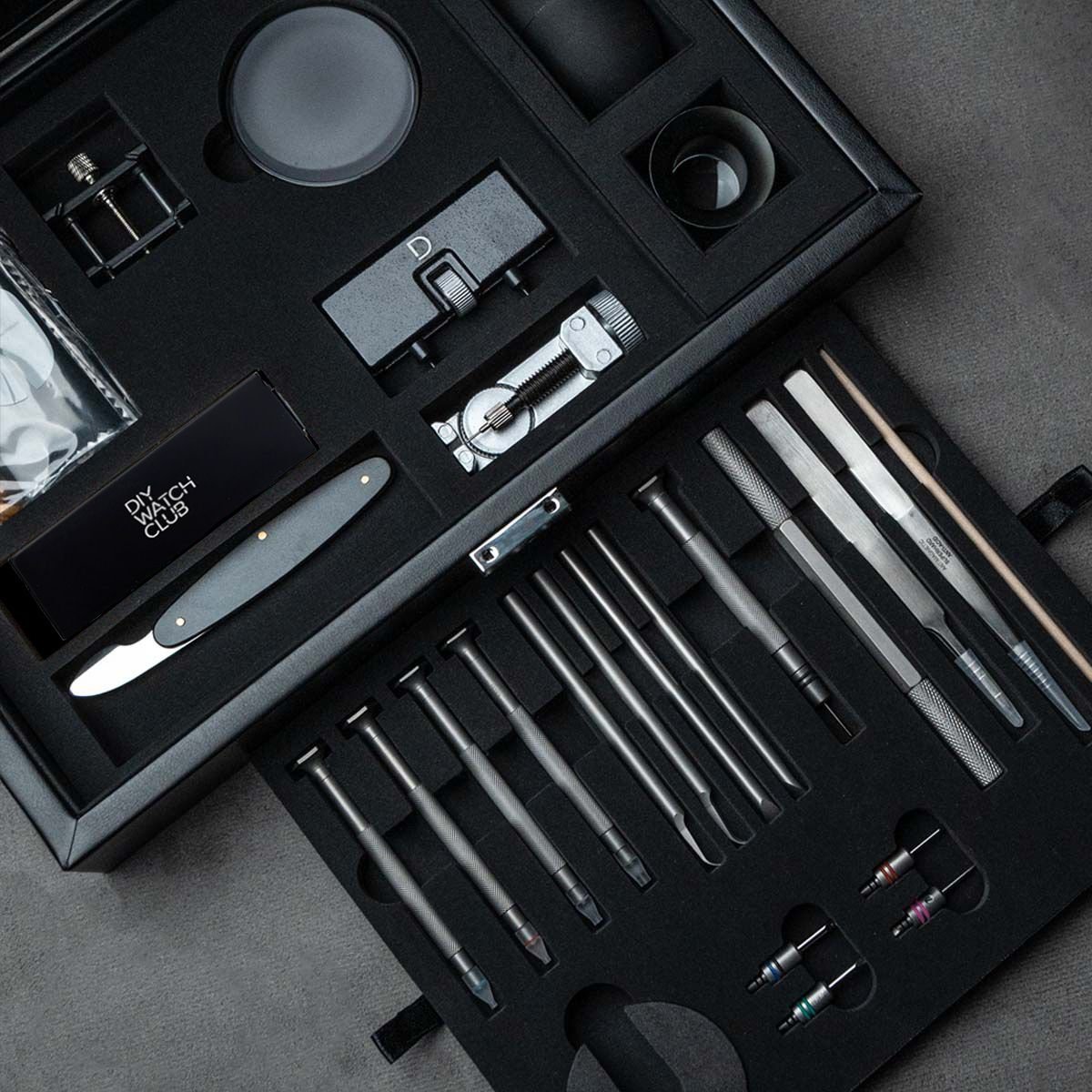
Tool kit content introduction
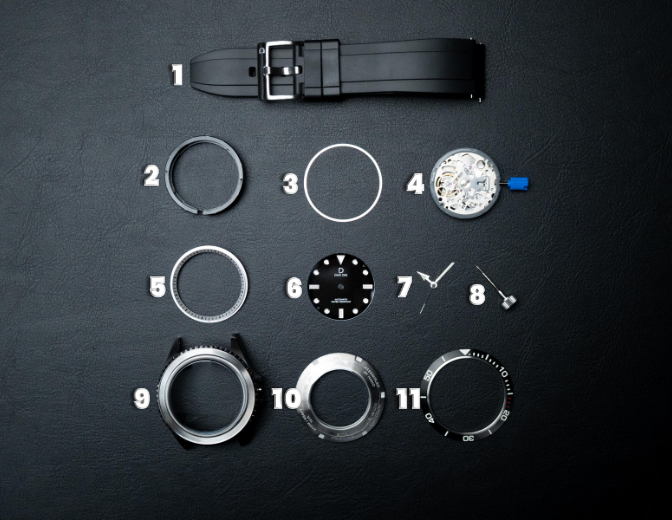
Parts:
strap
movement holder
chapter ring spacer
movement (TMI NH35/NH70)
chapter ring
dial (if you purchased crystal dial, a pack of dial feet is included)
hands (a pair of spare hands is included)
stem and crown (pre-installed to watch case top)
watch case (top)
case back (case back gasket included)
bezel insert
* quick release spring bars (optional depending on strap type)
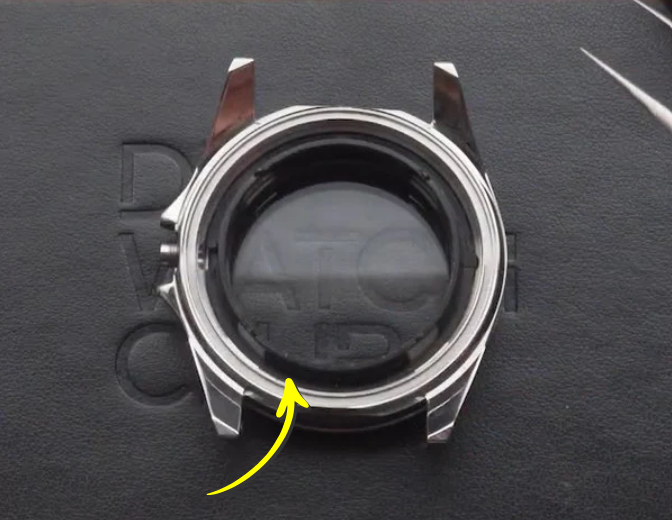
Movement holder
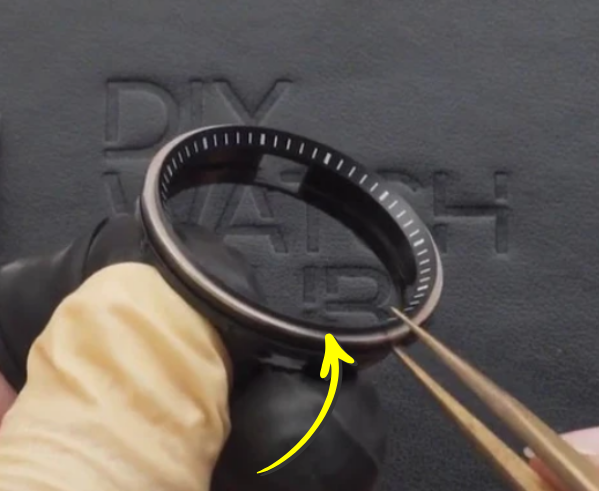
Chapter ring and chapter ring spacer (assembled onto the movement holder)
【Information】
The model used in the following videos may have a different design from the model on your hand,
but the assembly procedure is the same.
1: Dial and Movement Assembly Installation
Introduction: how to use mechanical watches with date
This is a brief introduction to the basics of a mechanical watch with date function, which might prove useful in your subsequent installation.
If you are already familiar with how a mechanical watch works, feel free to skip this video and proceed to the next one.
Content:
crown position for setting date
when to avoid setting date
how to determine AM/PM
1a. Watch Making Hygiene
Watch this tutorial before kick start your Chronograph watchmaking journey. An introduction to proper watch component care and assembly techniques, covering essential tips. Remember to wear your finger cots (2 sizes: Yellow ones bigger & Black ones smaller)
Content:
proper watch tools usage
proper watch component care
assembly techniques with essential tips
1b. Preparing case parts
Your watch case comes pre-assembled in order to keep it clean. This part will show you the individual parts of your case:
Movement holder
Chapter ring
Chapter ring spacer
Case back gasket
Content:
How to open case back with case back opener
How to place different parts
1c. Precautions during movement installation
Mechanical movement is the soul of a watch. It takes great care to install it. In this part, we’ll show you what to be mindful of when you install the movement.
Content:
Introduction of different parts of a movement
Areas you should not touch
Areas you can apply pressure on
1d. Installing dial - with secondhand installation helper tool

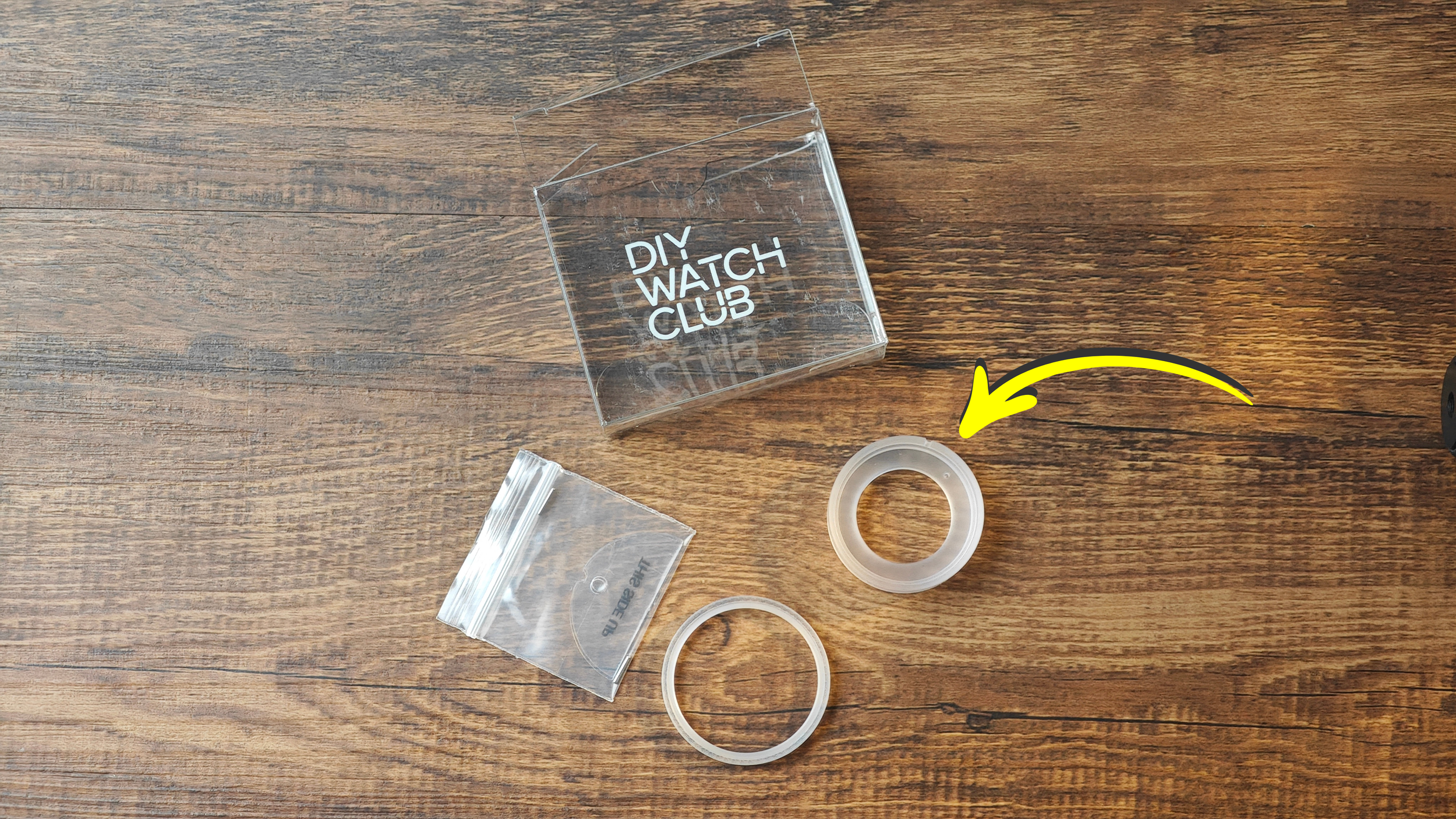
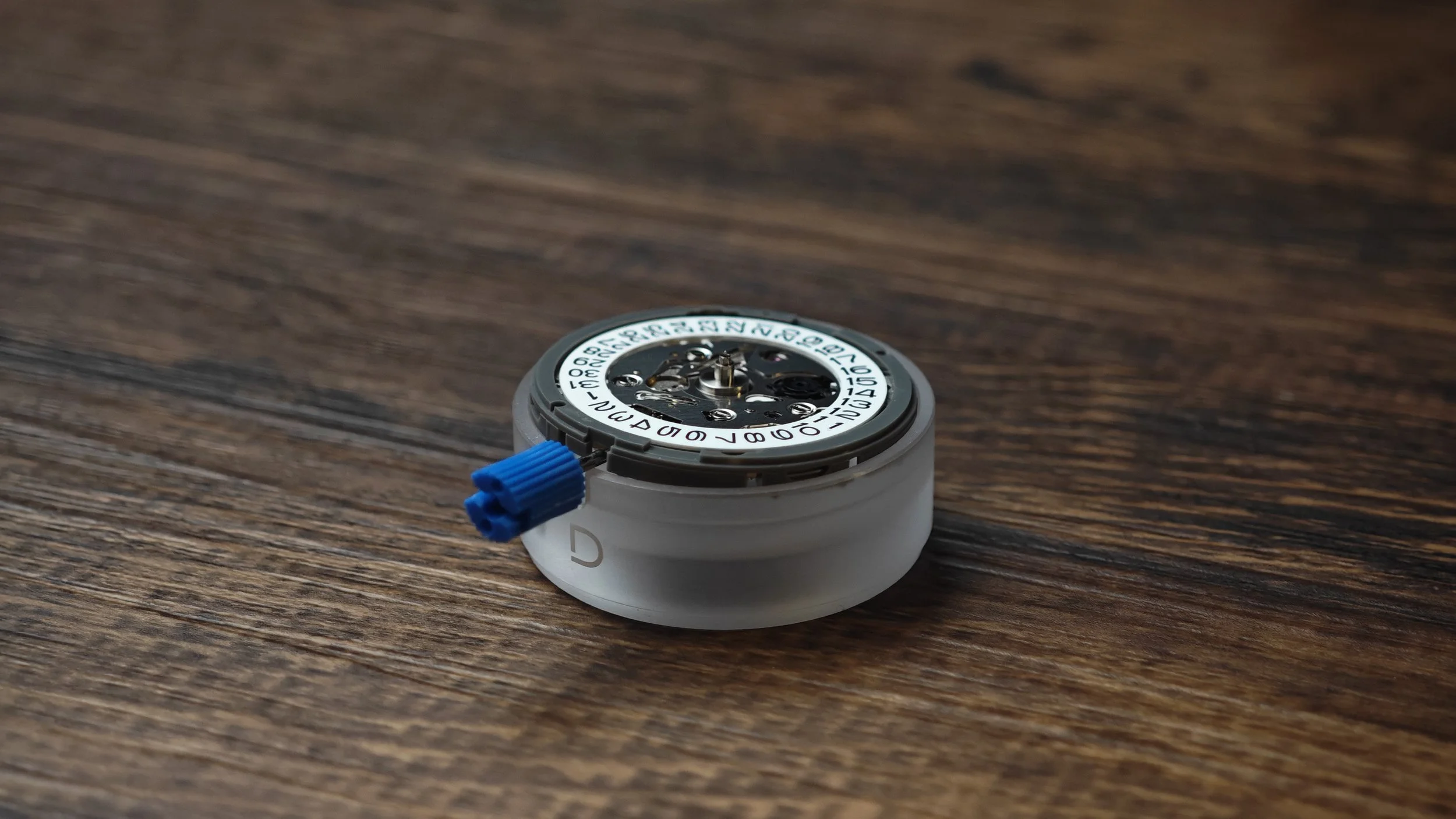
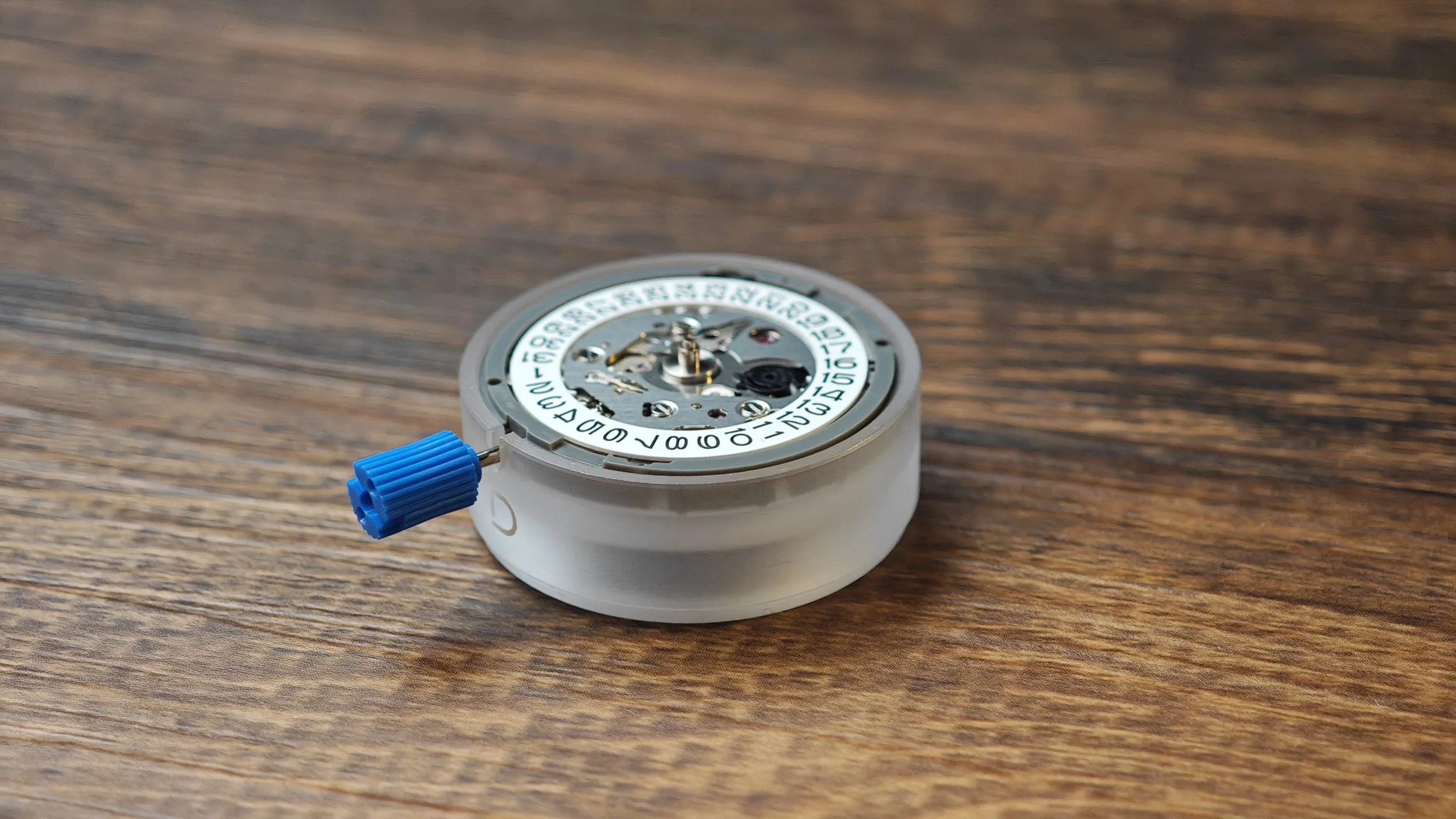
【Important】Reminder:
Secondhand installation helper tool can be served as an assembly holder tool, by placing the movement on top of the tool before installing the dial, makes following steps easier.
1. Look for this box which contains the secondhand installation helper tool.
2. Keep other parts aside for later usage, look for the movement holder as circled.
3. Place the movement on top of the movement holder.
4. Make sure the movement is flat on top of the movement holder.
Please choose below the type of dial you’re assembling:
In this part, we will install the dial. After assembling them, we will proceed to the next part, where we install the watch hands.
Content:
Install dial onto the movement

Your sandwich dial has a top and bottom layer. Normally they should come assembled in the kit, but if they fall off, you can reassemble them by aligning the feet and hole indicated by the arrows.
*Your assembly should be on the secondhand helper tool movement holder, for the following video, the assembly is on top of a case cushion / a watch case back, which is for those who do not have the secondhand helper tool.
The following pictures indicate the movement dial holes (green spot):
NH35 movement
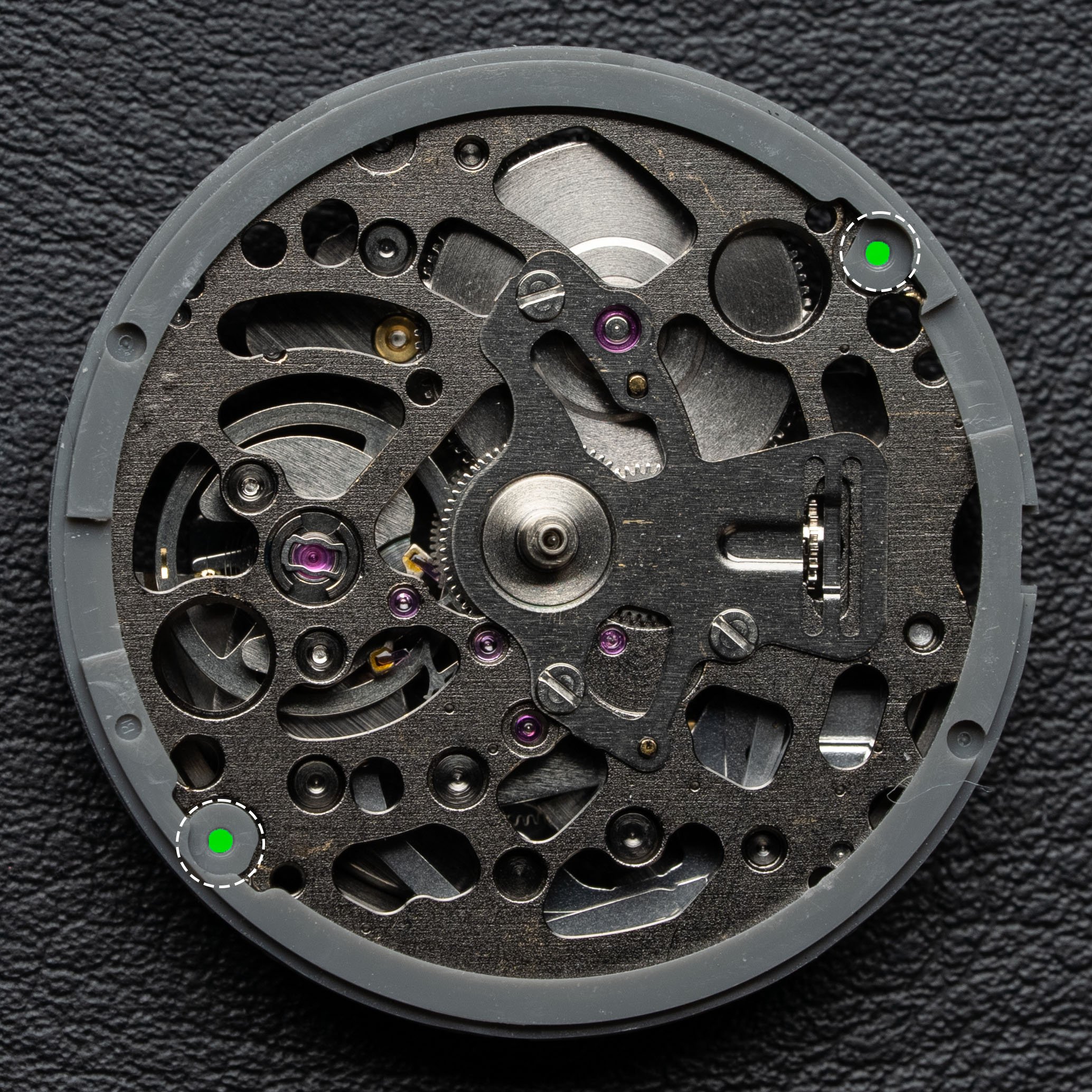
NH70 & NH72 movement
Optional: How to remove the dial
To remove the dial, simply use a screw driver, and insert it in between the dial and the movement or movement holder. Inserting the screw driver next to the dial feet will give you a better control. For Seiko NH movements, you can find slots on the movement holder for this purpose.
In this part, we will install the sapphire dial. After assembling them, we will proceed to the next part, where we install the watch hands.
Content:
Install sapphire dial onto the movement
Learn how to remove the dial safely
*Your assembly should be on the secondhand helper tool movement holder, for the following video, the assembly is on top of a case cushion / a watch case back, which is for those who do not have the secondhand helper tool.
2: Hand Installation and Adjustment
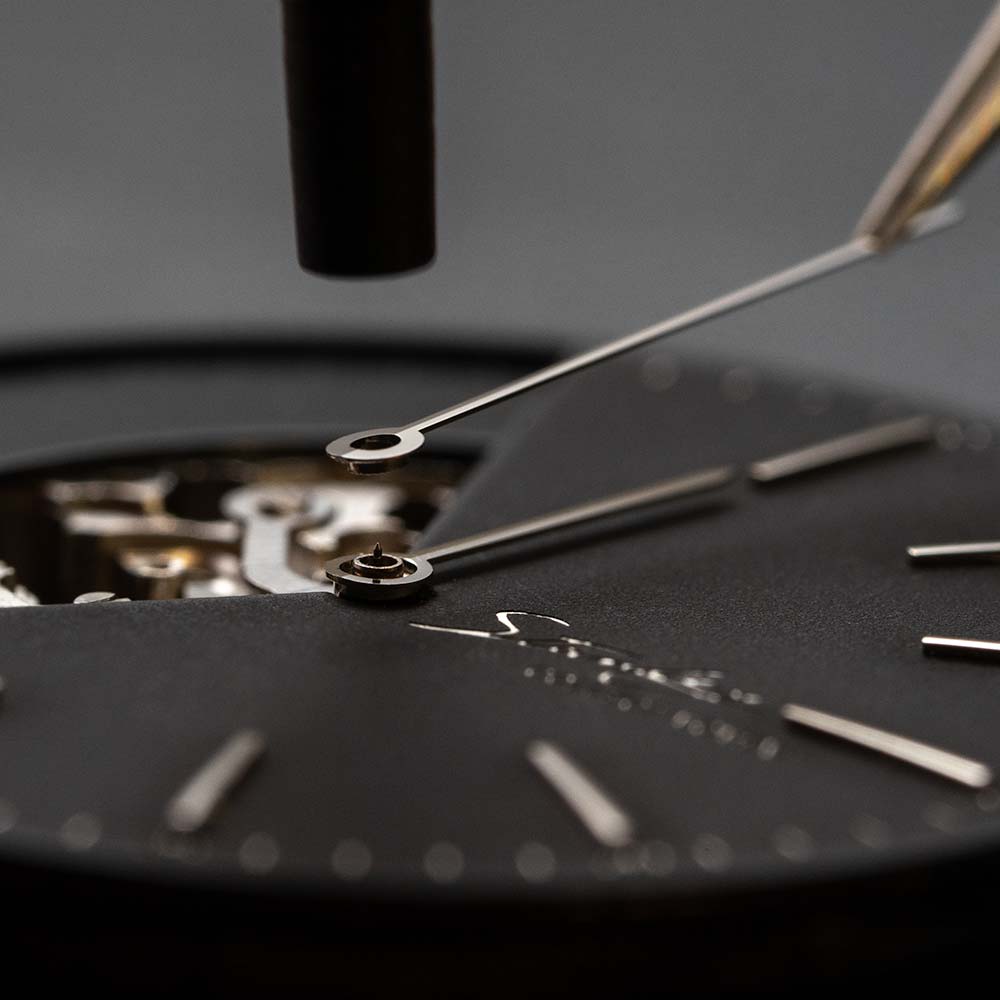
If this is your first time installing hands, it might be quite difficult. You can take a break first before continuing.
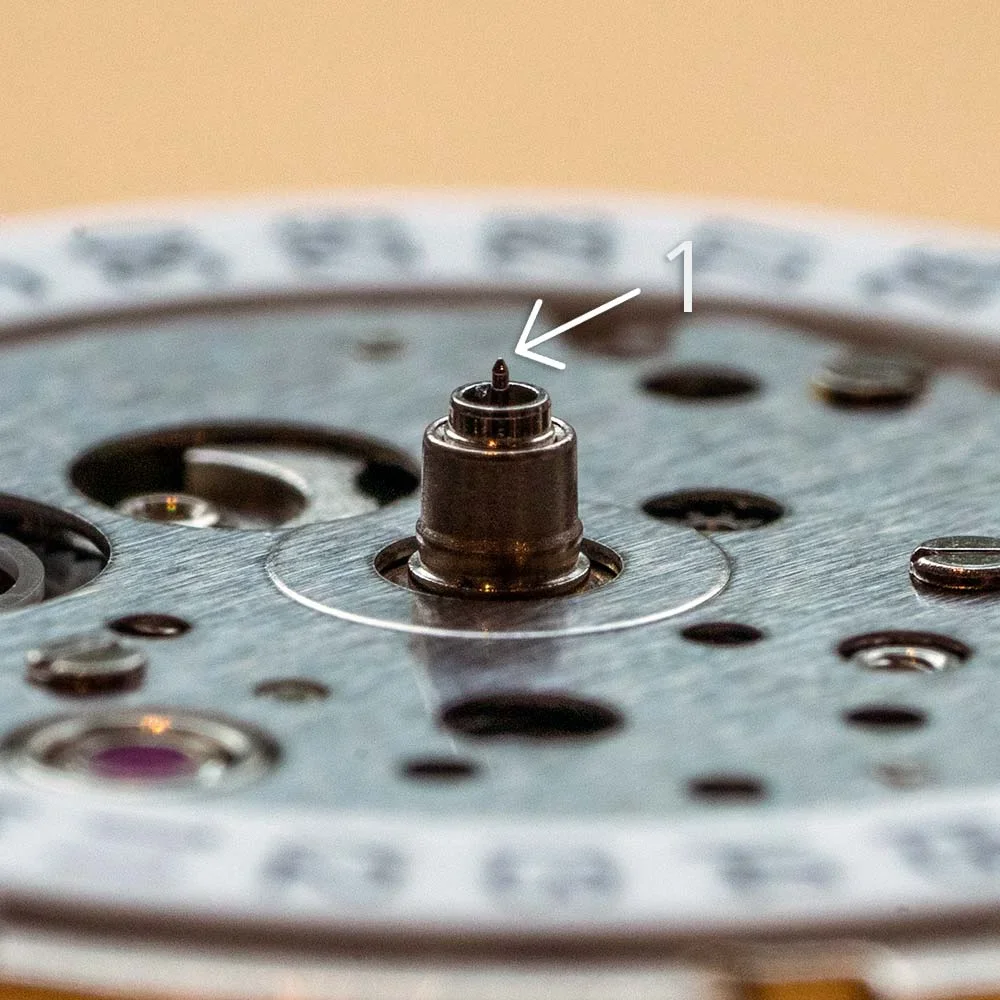
【Important】Reminders:
During installation, please avoid bending the post for second hand. Otherwise the function of the movement might be compromised.
Repeated installation of watch hands may result in loose hands. Therefore please be careful with each installation, and reduce the need for re-installation.
An extra set of hands is provided to you in case you need replacement.
2a. Installing hour and minute hand
We will install the hour and minute hands onto the dial and movement assembly.
Content:
How to pick up an hour hand
How to install a hand
Adjusting the level and direction of the hand
*Your assembly should be on the secondhand helper tool movement holder, for the following video, the assembly is on top of a case cushion / a watch case back, which is for those who do not have the secondhand helper tool.
2b. (optional) Hands removal instruction
If you need to remove hour or minute hand, watch once before removing yours.
Content:
How to remove a whole set of hands
How to remove minute hand
Installing Second Hand
WARNING! This part is very challenging and poses risk of irriversible damage to the movement!
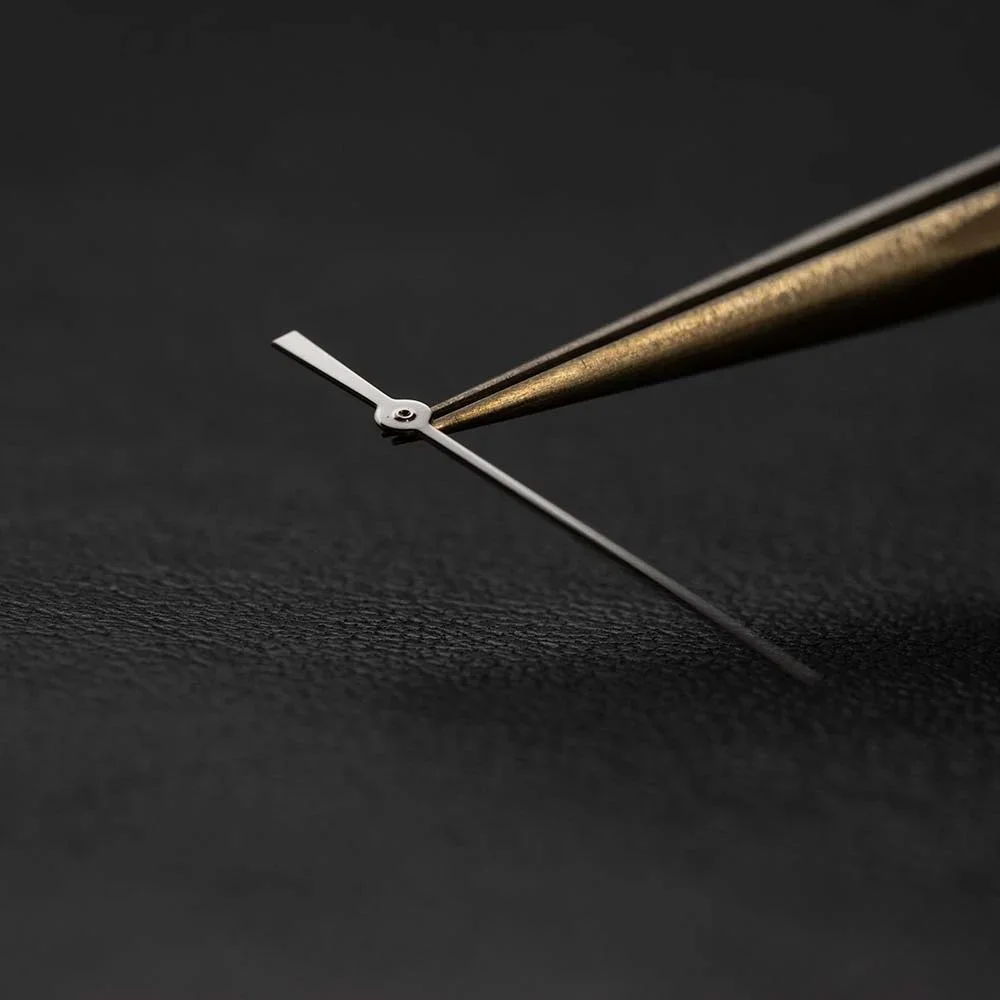
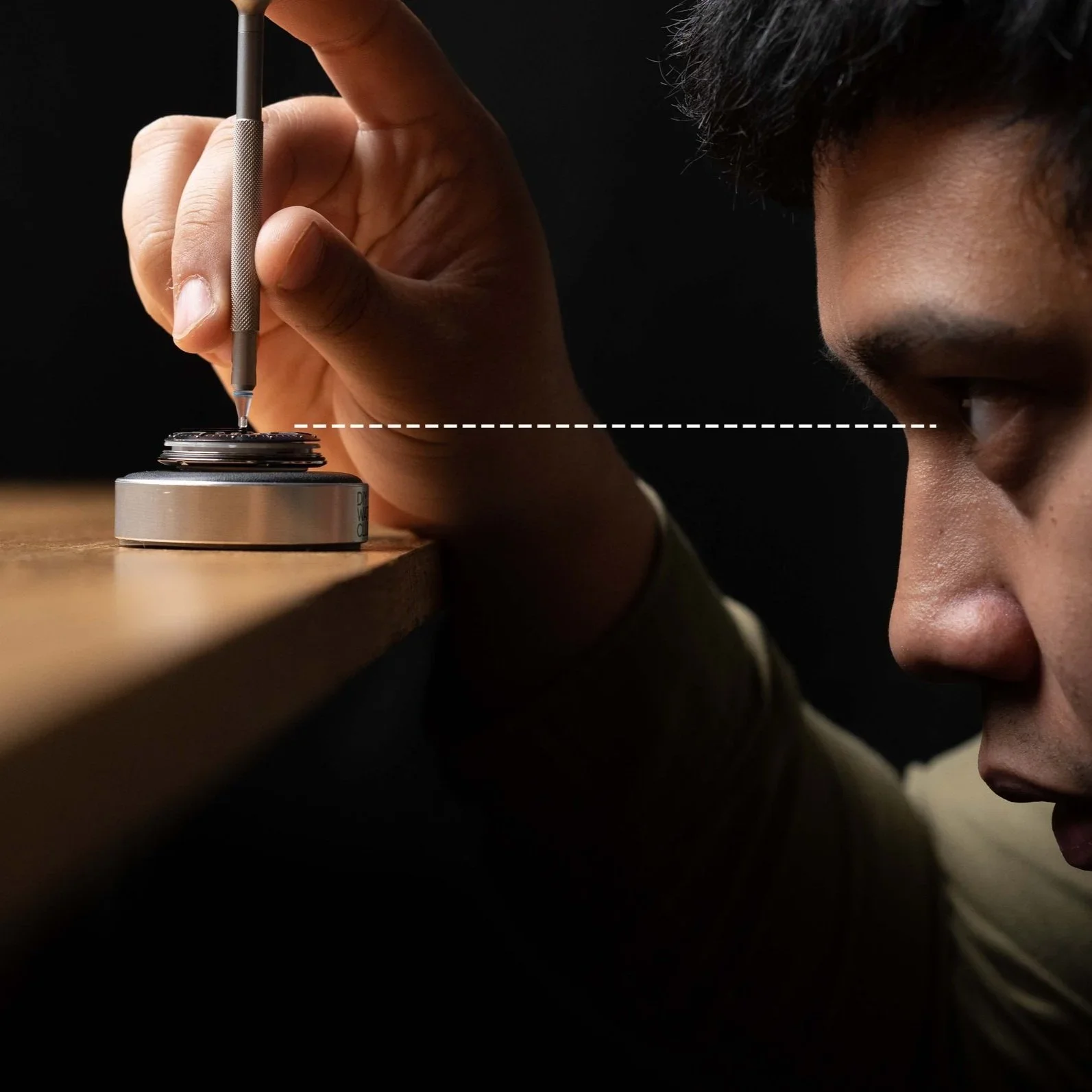
Tips for second hand installation:
Viewing the second hand from a horizontal angle will make the hand installation significantly easier.
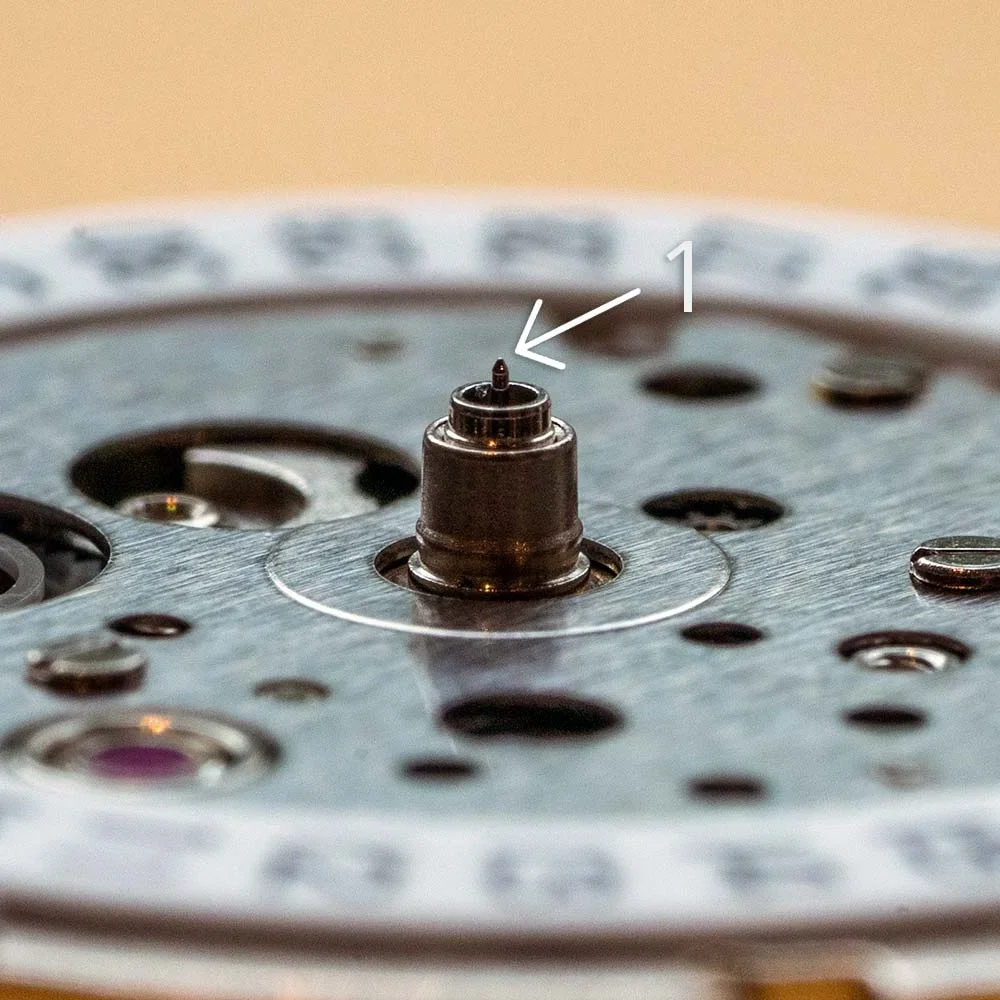
【Important】Reminders:
The second hand post is more fragile than that of hour and minute hands. Please be very careful with installation. A bent second hand post will affect the performance of movement.
It is recommended to first use a loupe to see the smallest post clearly before attempting to install. If you were not careful with minute hand installation, the second hand post might have been bent. If so, it is impossible to install the second hand.
Second hand must remain parallel with the dial. During installation and adjustment, be mindful to keep the second hand level.
Instructional video contains detailed description. Please pay attention to its content in its entirety.
2c. Installing second hand (with secondhand installation tool)
Using the secondhand installation helper tool can simplify the process of installing the second hand.
Content:
Introducing the helper tool
Using the helper tool to install a second hand
2d. (optional) Second Hand Troubleshoot
Here we will cover most of the problems related to secondhand installation.
You have now finished hands installation. You may press the following button to return to the top section of the tutorial:
3: Installing Case and Other Parts
3a. Seiko NH movement stem and crown removal (with secondhand installation tool)
Removing stem and crown is an essential step for watchmaking and watch modification.
Content:
Stem and crown removal method with helper tool
Stem and crown removal method with tweezers for Seiko NH movement
3b. Installing movement holder and chapter ring installation
In this part, please remove the assembly from the secondhand installation helper tool, we will install the movement holder and chapter ring before assembly into the watch case.
Content:
Installing movement holder
Installing movement holder
【Important】Reminder:
It’s time to check everything on the dial, watch hands, and watch case crystal for dust and smudges. Clean them up with the techniques that was mentioned during 1a. Watch Hygiene video.
3c. Installing the assembly into watch case
In this part, we will install the whole assembly into the watch case.
Content:
Casing the whole assembly (*remember to clean the components before casing)
4: Modding Options
4a. (optional) Installing custom rotor
If you have customised a rotor, replace the factory default rotor with your custom rotor.
Content:
Finding the right screwdriver
Removing the rotor
Putting on the new rotor
For Seiko rotor:
4b. (optional) Switching bezels
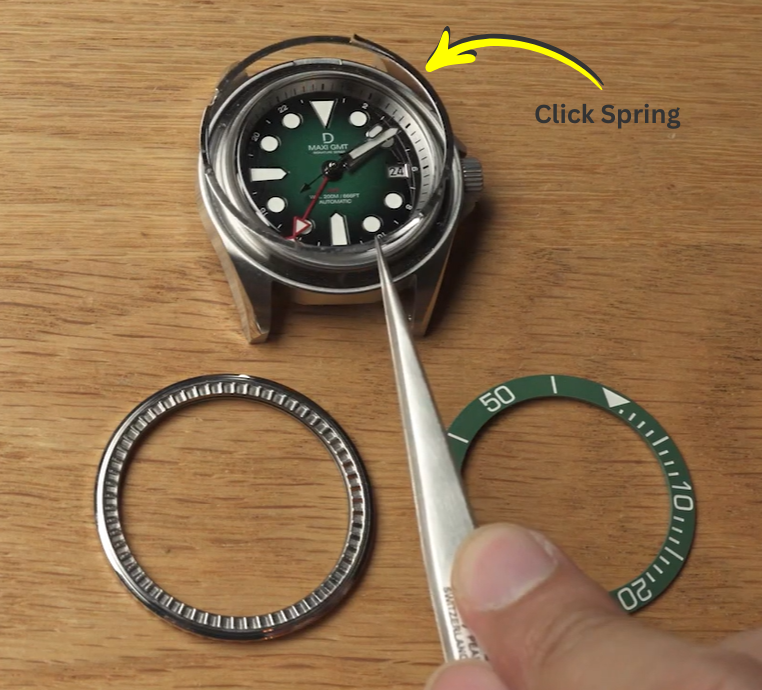
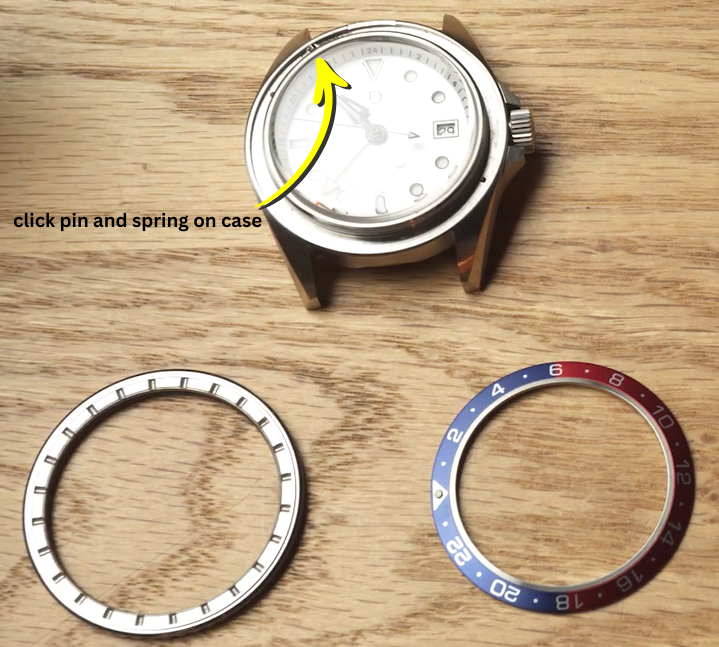
If you need to convert your bezel from uni-directional 60-click or 120-click to bi-directional 24-click (or vice versa), you will need to watch the following video.
BEWARE! Our design has 24 click and 60 click set up, components are not interchangeable.
60 click bezel and click spring set up: 24 click bezel, click pin and spring on watch case:
*be careful do not lose the click pin and spring
4c. (optional) Bleaching bezel insert
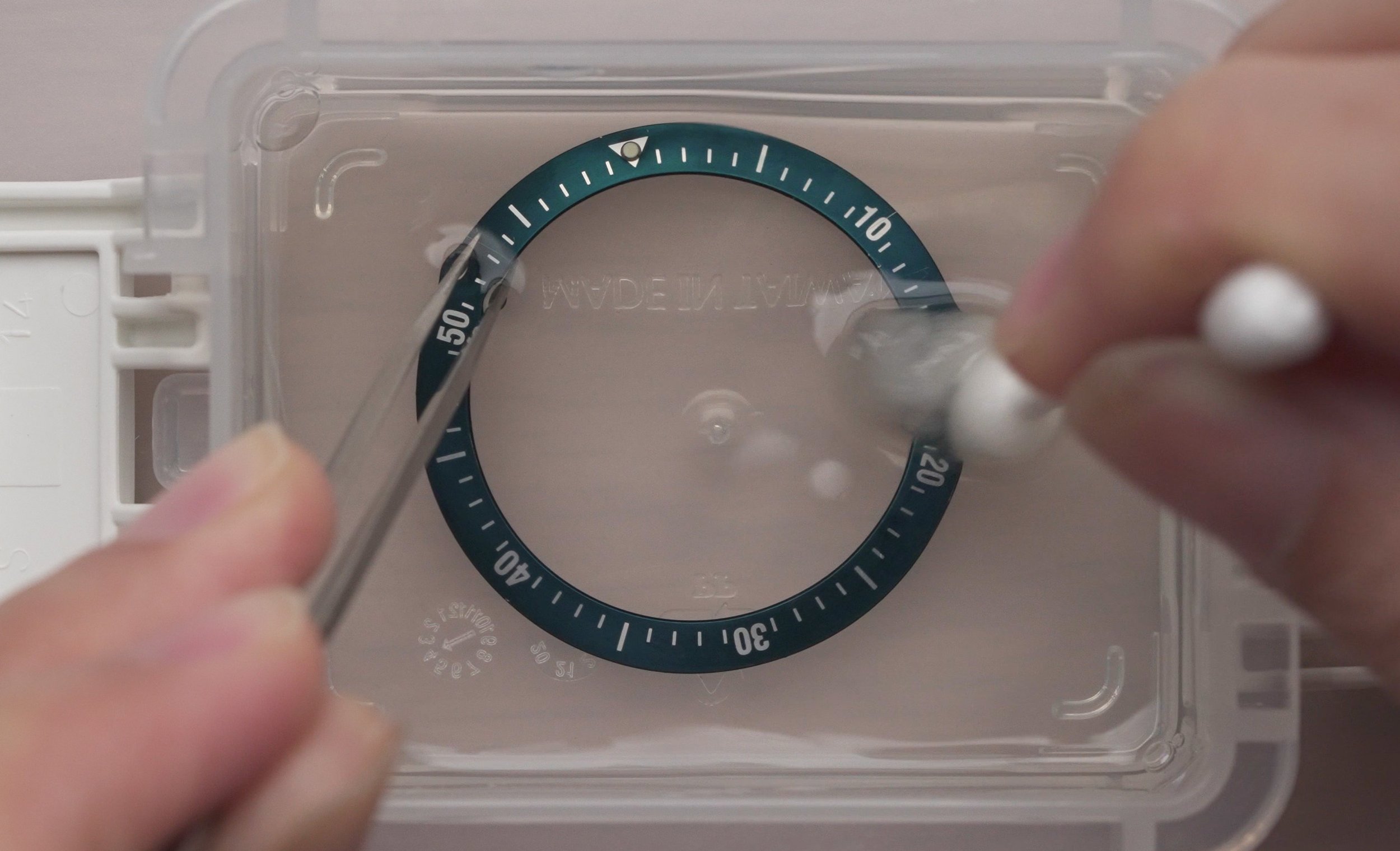
Before installing your case, you can opt to give your bezel insert a faded look by carrying out a process called “bleaching”. Learn how to do it via the button below:
If you need to reinstall any of the components, you can refer to this:
FINAL CHECK!

Check for proper watch functions by winding and setting time. When hands are being turned, check if they come into contact with other hands or parts.
Check for dust or dirt on crystal, hands, dial or other parts. If needed, you can remove the case to clean the inside.
Check if the case back is securely fastened. If not, water resistance capability of the watch might be compromised.